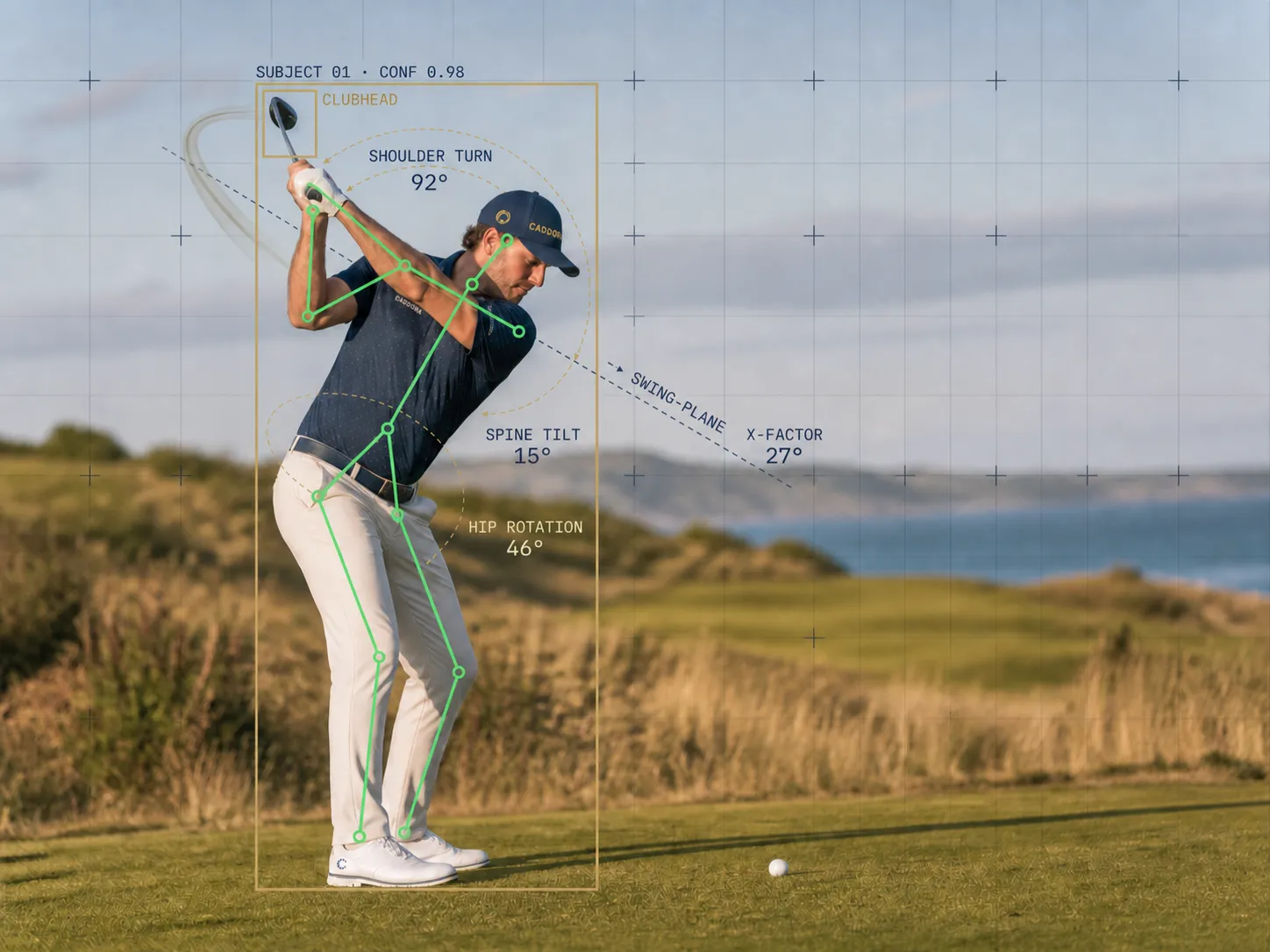
Golf swing at the top of the backswing with a pose-capture skeleton overlaid, reading shoulder turn 92°, spine tilt 15°, hip rotation 46° and X-factor 27°

Caddora Coach

You have 4.1 shots sitting on the table.

Caddora reads your scorecards, swing analysis and range sessions together to diagnose the one thing to work on next — measured against golfers of your handicap and gender or your age group for how far you should hit it. Not a tour average.

Work on these three

Greens in regulationShots

1.4 shots

Penalty strokesCourse

0.9 shots

Fairways hitCourse

0.5 shots

Ranked by recoverable strokes · vs men off 6–8

Three inputs, one plan

Coaching is only as good as the data behind it.

Each feature can work on its own to help you improve but together we can build a bigger picture and identify what will give you most value.

Input

Scan Scorecards

Automatically import your golf scorecard, identify where you are losing shots on the course.
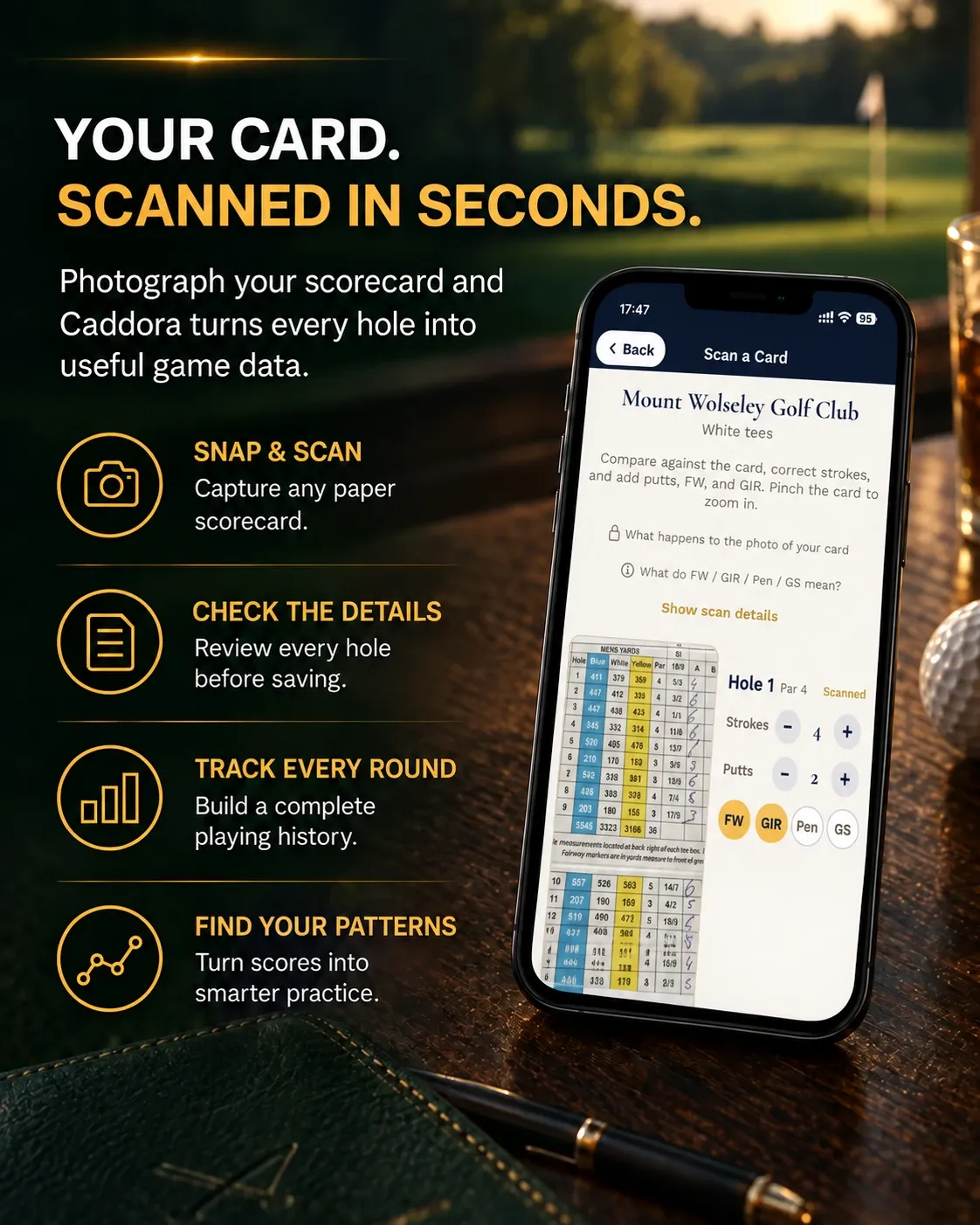
Your card, scanned in seconds: a photographed scorecard read hole by hole, with strokes, putts and fairways to check before saving

#shotsgained #saveshots

Input

AI Swing Analysis

Record your swing, get instant understandable feedback you can action.
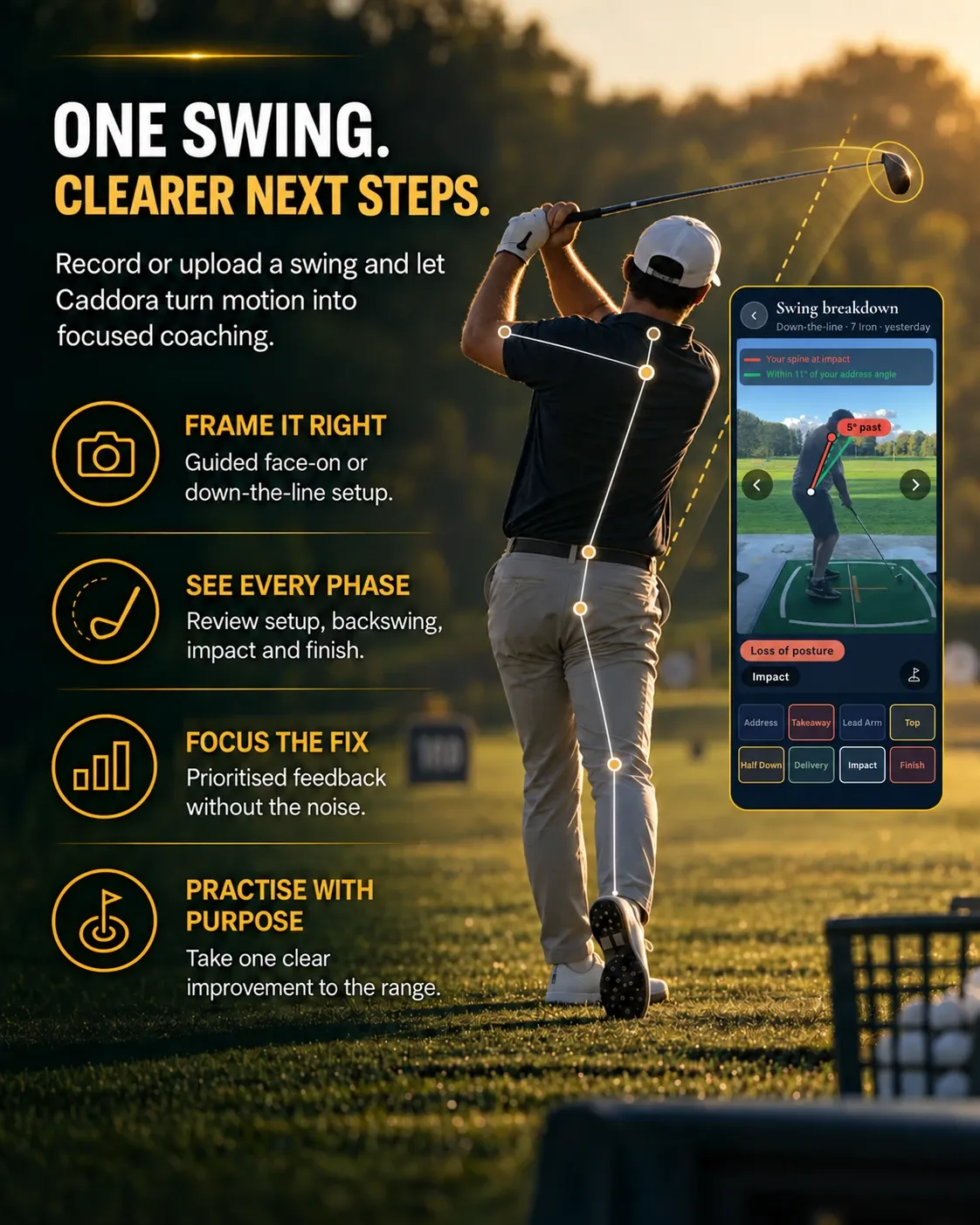
One swing, clearer next steps: a golfer at the top of the follow-through with the pose skeleton drawn on, beside the swing breakdown screen

#swingAI #posetracking

Input

Map My Bag

Record your range data for each club, identify gapping and coaching opportunities.
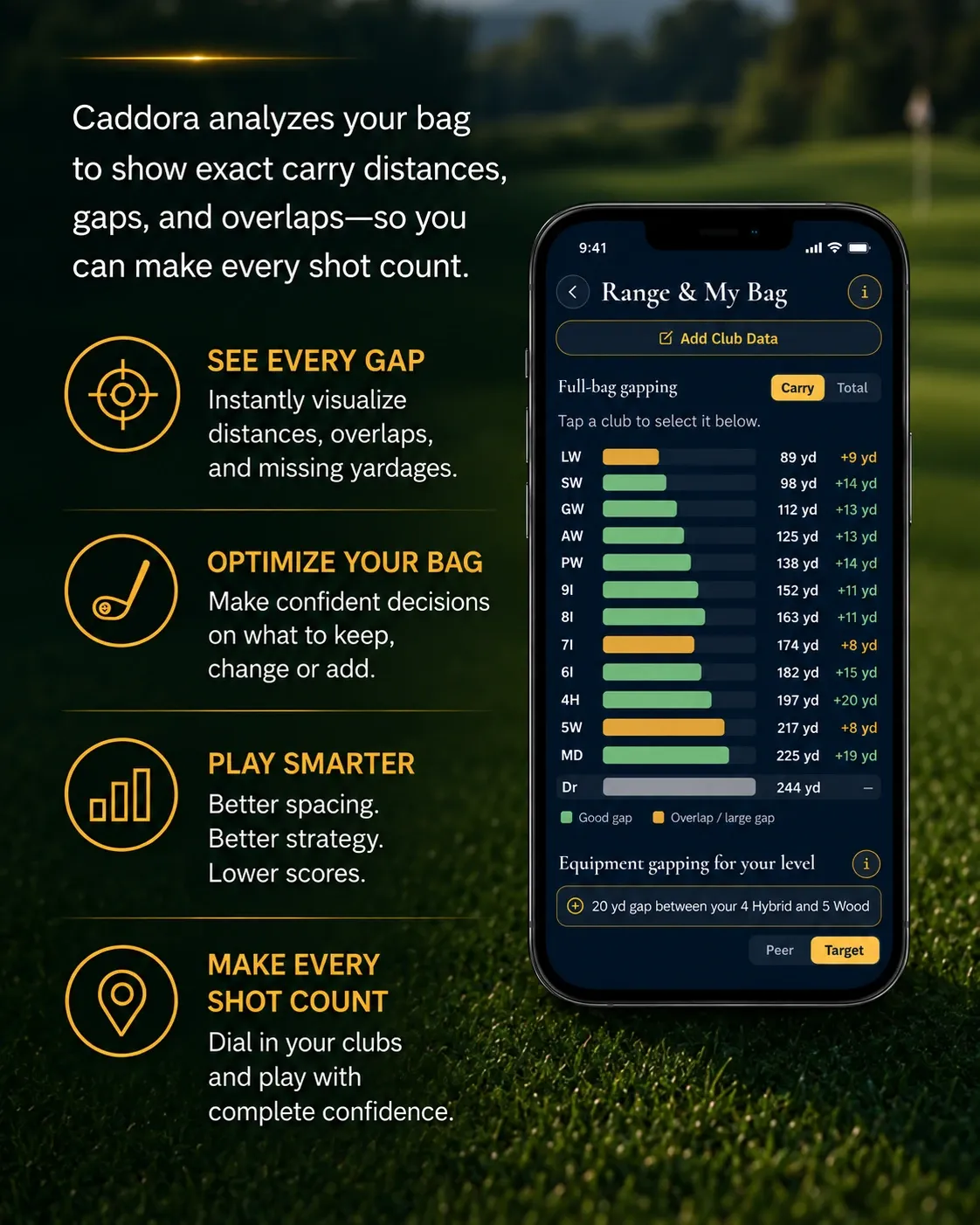
Range & My Bag: full-bag gapping, with the carry distance and the gap to the next club for every club in the bag

#Trackman #range #clubfitting

What a measurement is

A number, taken twice.

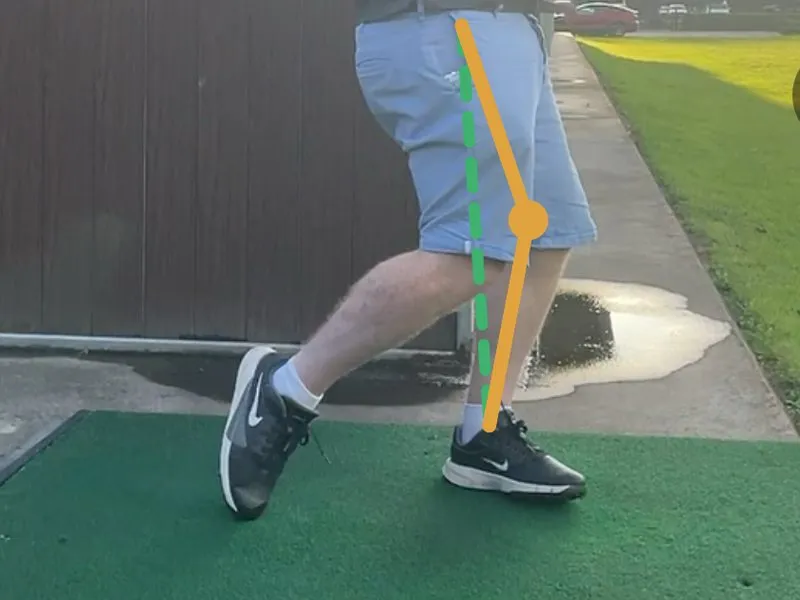
A fault is rarely one bad angle. This one is the lead knee measured at impact and again at the finish — the leg should straighten as the hip rotates back. When the hip doesn’t rotate, the leg gives way instead: the base you swung around has moved, and the strike moves with it.

You get the two numbers, the difference, and what nine in ten reference swings do. Not a score out of a hundred.
The lead knee measured twice: almost straight at impact, then buckled by the finish — thirty degrees of extension lost after the ball has gone, where reference swings lose under fifteen. ONE MEASUREMENT, TAKEN TWICELead Knee BuckleIMPACT172°almost straightFINISH142°buckled30° lostafter the ball has gone. Reference swings lose under 15°.
Impact and the finish side by side. The gap between the two angles is the reading — there is no third number scoring it.
The lead leg at the finish of a real swing, with the app's overlay drawn on it: the bent leg in orange and a straight-leg reference in dashed green
Orange is the lead leg at the finish. The dashed green is the straight leg it is measured against — drawn on the golfer’s own frame, not an illustration of one.

All three feed

Caddora Coach — your ranked improvement plan

The improvement loop

Capture → Understand → Practise → Improve

Faults clear themselves once you hit benchmark, so your plan always shows the shots still on the table.

  1. 01

    Capture

    Rounds, swings and range work feed one profile.
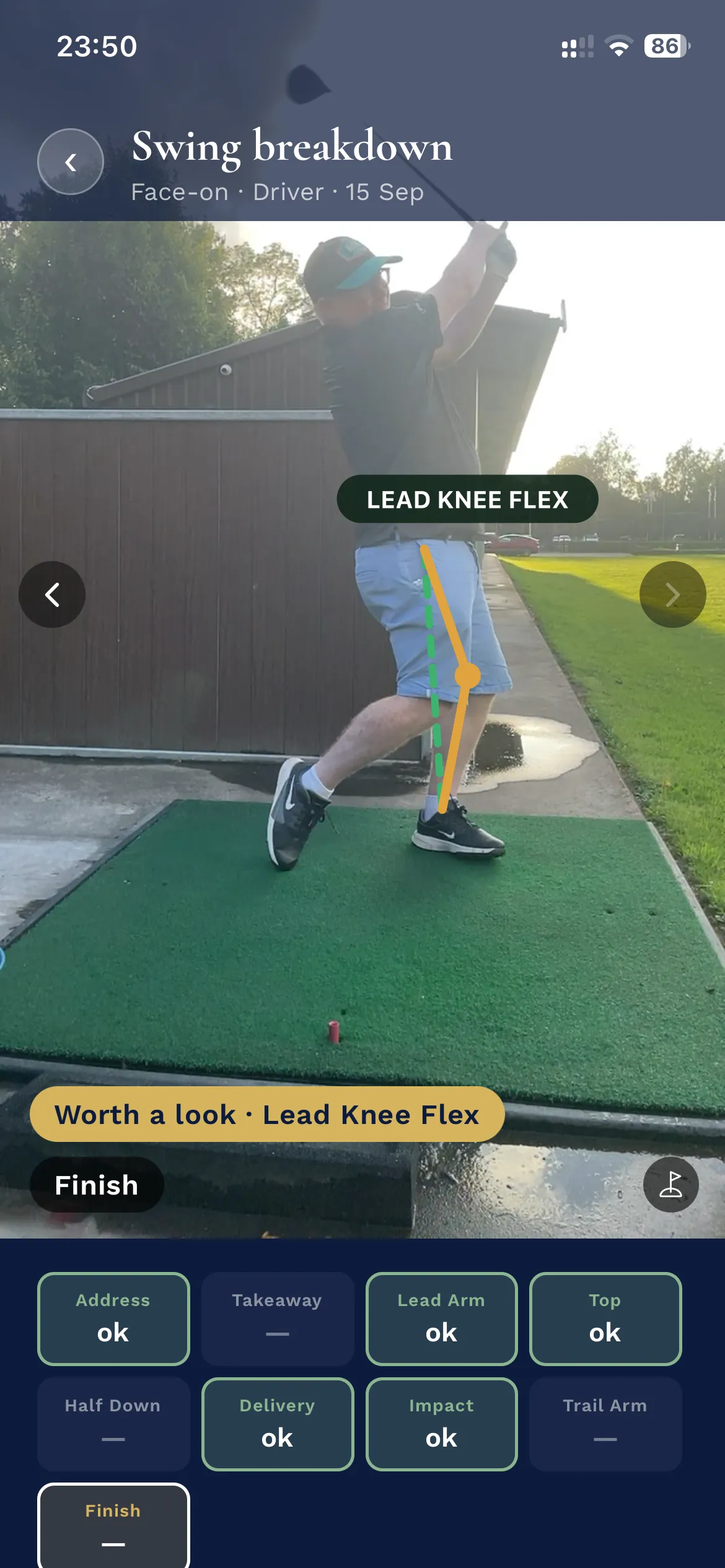
    A captured swing with its spine angle measured against the recommended range
  2. 02

    Understand

    One fault traced from swing to range to course.
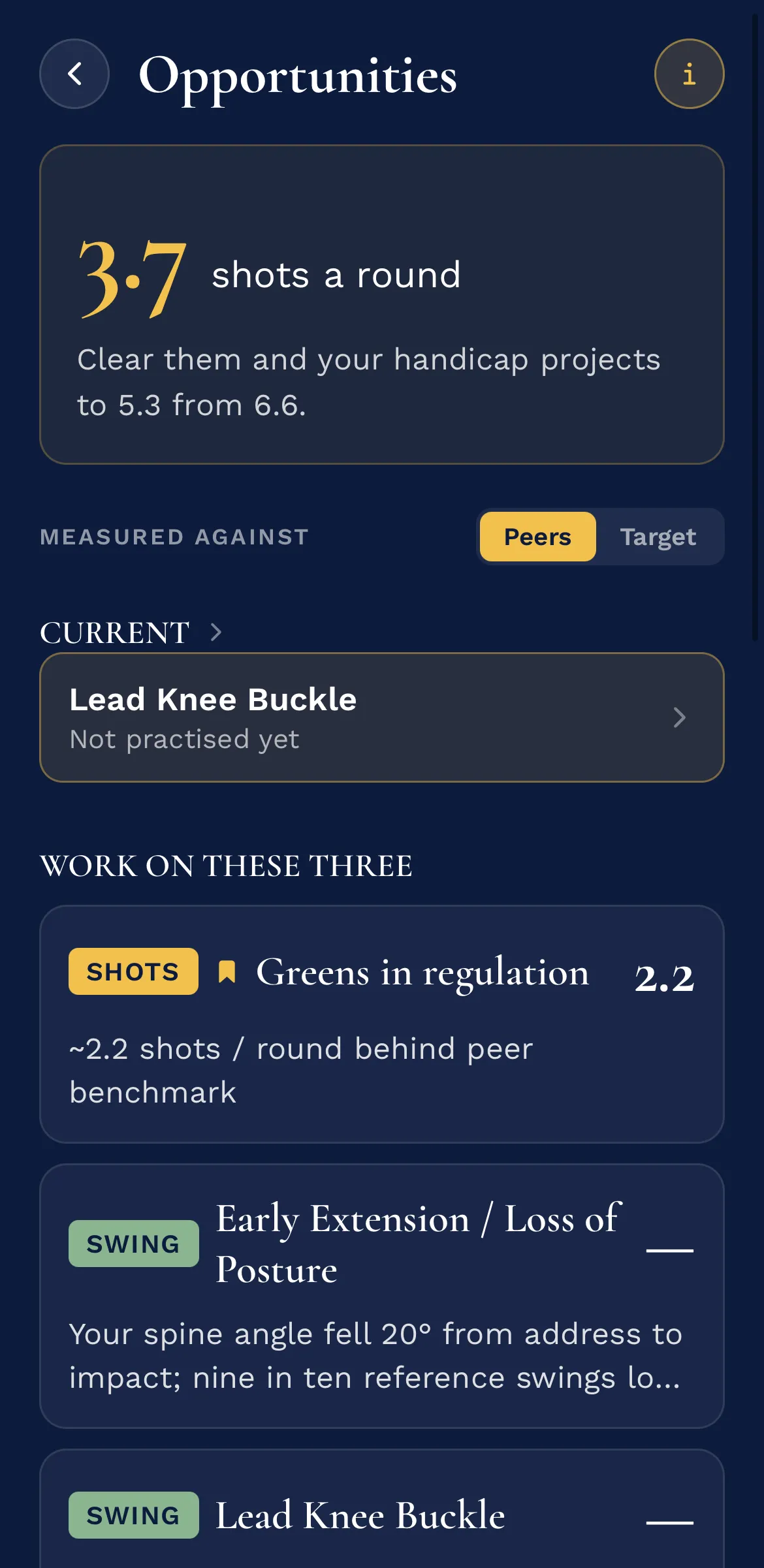
    The Opportunities screen: 3.7 shots a round on the table, the fault currently being worked on, and the three to work on ranked by what each is worth
  3. 03

    Practise

    Drills chosen by what your own numbers say.
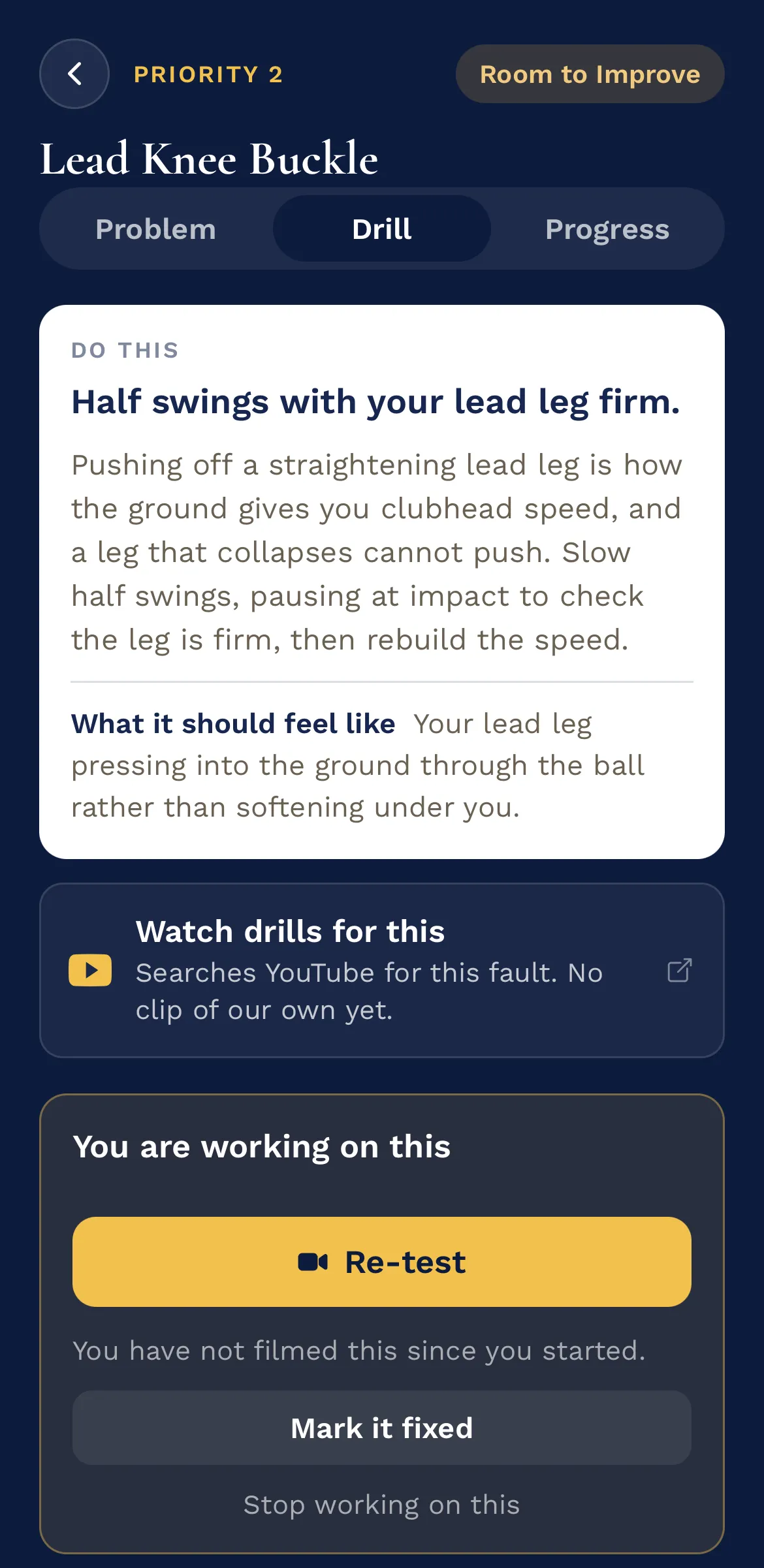
    The drill for Lead Knee Buckle — half swings with the lead leg firm, what it should feel like, and a Re-test button to film it again
  4. 04

    Improve

    Proof the change is holding, swing by swing.

    The Progress tab for Lead Knee Buckle. How often the fault was found in each driver session over a fortnight: 33 per cent on 8 Sep, 25 per cent on 11 Sep, 20 per cent on 15 Sep, 11 per cent on 18 Sep, 7 per cent on 21 Sep — 26 points down since 8 Sep. Underneath, the session it was found in each time: 8 Sep, Driver, 3 of 9; 11 Sep, Driver, 3 of 12; 15 Sep, Driver, 2 of 10; 18 Sep, Driver, 1 of 9; 21 Sep, Driver, 1 of 14. PRIORITY 2Room to ImproveLead Knee BuckleProblemDrillProgressNext check-inRecord a few more swings — that is whenlead knee buckle is measured again.How often it showed up,Driver−26 points since 8 Sep33%8 Sep9 swings7%21 Sep14 swingsEach point is the share of that session's swingsthe fault was found in.WHERE IT SHOWED UP8 SepDriver3 of 911 SepDriver3 of 1215 SepDriver2 of 1018 SepDriver1 of 921 SepDriver1 of 14

On the course

Caddie knows how far you actually hit it.

Map My Bag turns your range numbers into a real carry for every club. The caddie takes those distances, the wind and the temperature, and names the club for the shot in front of you.
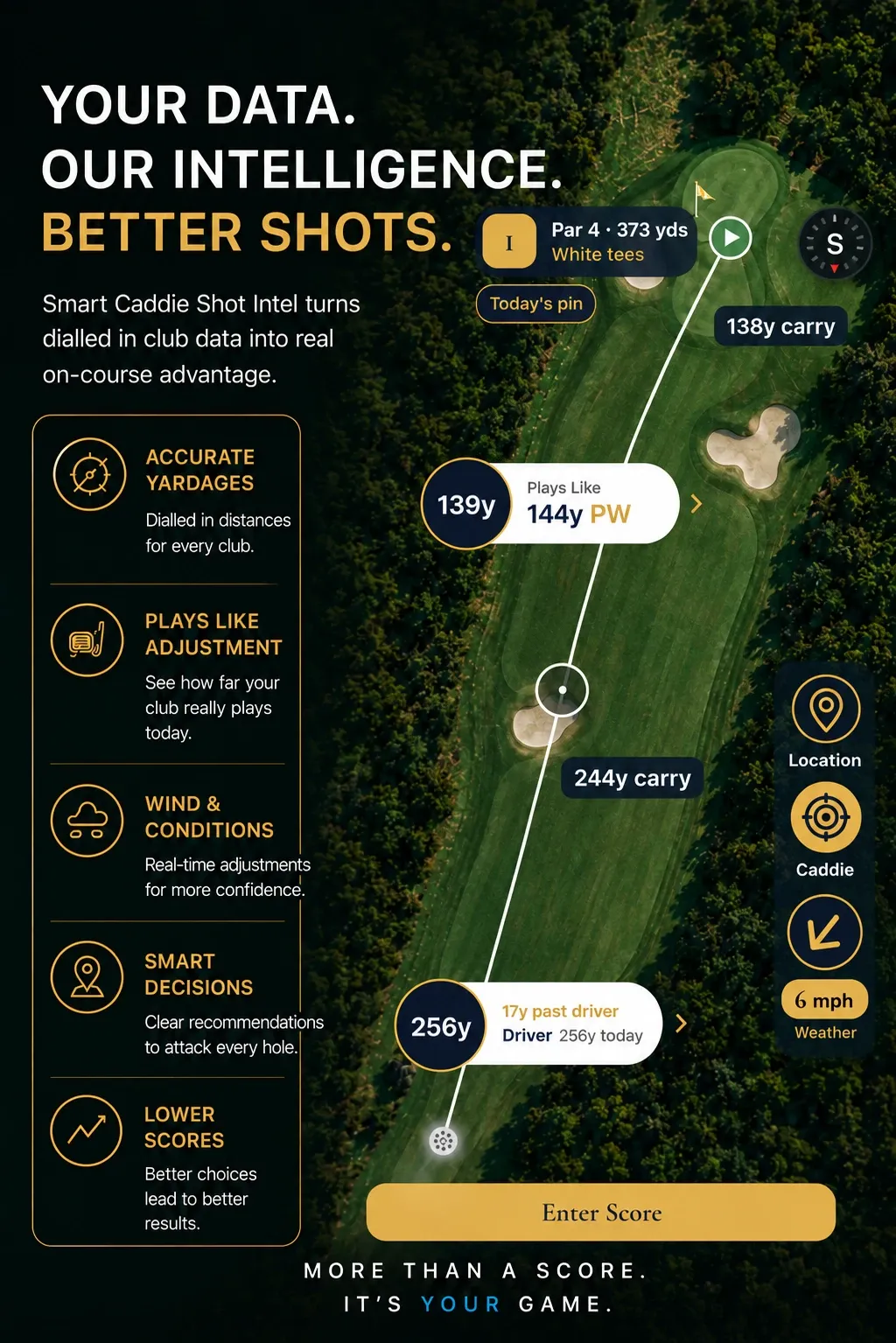
The on-course screen: an aerial of a par 4 with plays-like yardages, the club to hit, and the wind reading
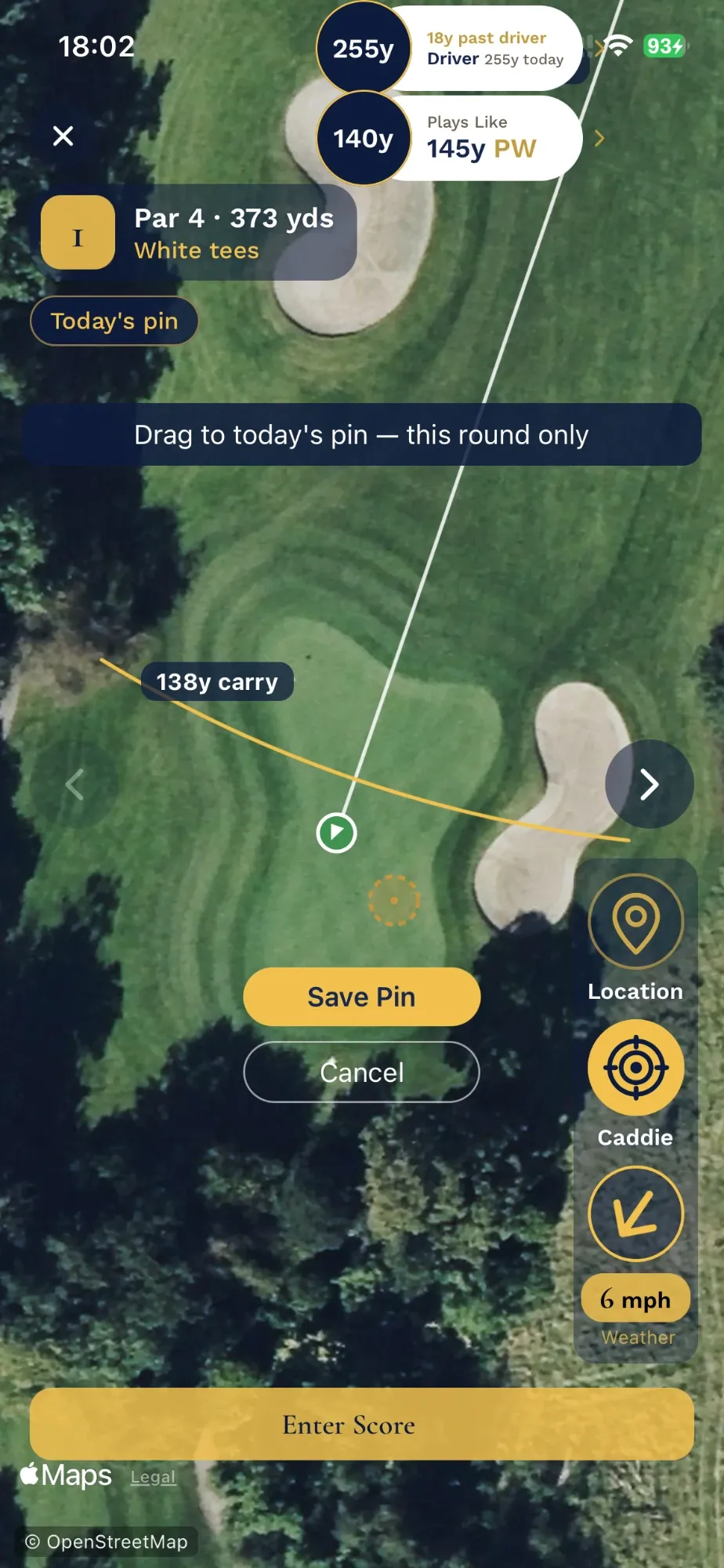
Dragging the pin marker on the hole map, with Save Pin and Cancel, under the prompt “Drag to today's pin — this round only”
A green is cut in a different place each morning. Drag the marker to where the flag actually is and every yardage on the hole follows it — for that round.

The next round starts here

Find the shots you are leaving out there.

For coaches